
Have you ever performed a search using for example, Google and accessed one of the links? What is it that makes certain websites appear higher up in a search and others less easy to find?
Generally it is due to something called Search Engine Optimization.
It enables a website to be discovered by people searching for information, products and/or services. Furthermore, it enables website owners to ‘target’ people who are already interested in their topic.
Although digital marketing and more specifically SEO can seem quite complicated to understand, there is no need to learn everything at once.
This information outlines fundamental SEO points. It also explains how search engines work and details a process which can be used to optimize your website. Additional information is provided regarding free SEO tools together with common mistakes to avoid.
What is SEO?
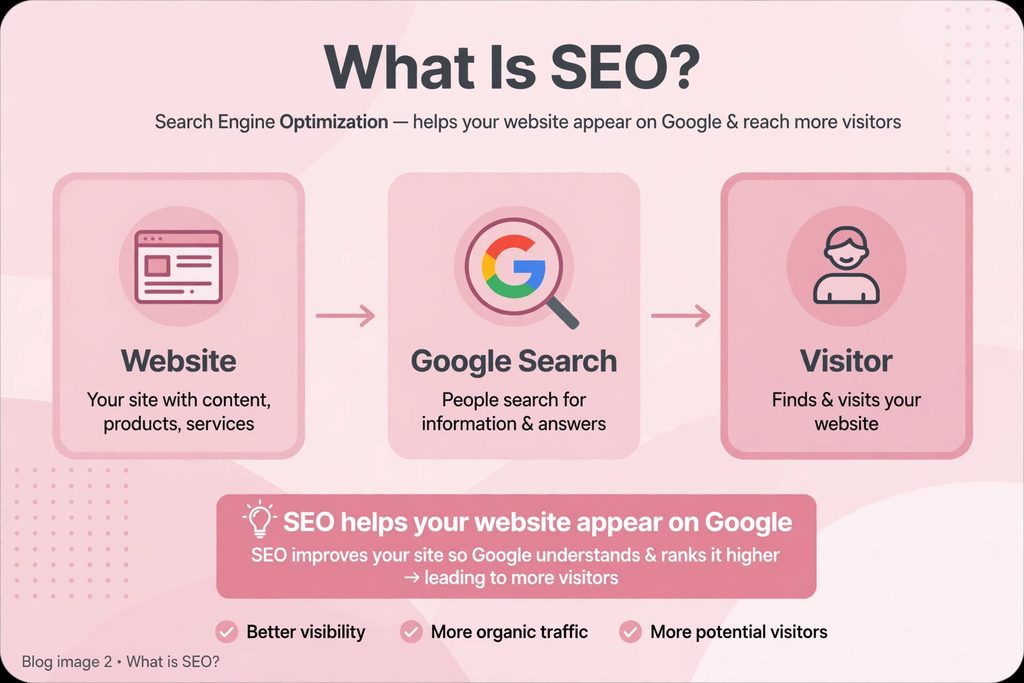
Search Engine Optimization (SEO) involves optimizing webpages so that they can be interpreted by search engines and hence displayed in search results for people wishing to obtain information.
Let us assume that you run a website which offers revision resources.
If a student then searches on Google for ‘Biology notes for class 9’, then with good SEO it is possible for your relevant webpage to be shown in the search results.
Whilst SEO enables your site to be accessed via organic search results, it does not involve paying Google for each click on these search results.
In order to implement good SEO, however, time, work and investigation must be invested and continual enhancement should be carried out.
How do search engines work?
To utilize SEO effectively, it is important to know how search engines identify and show sites.
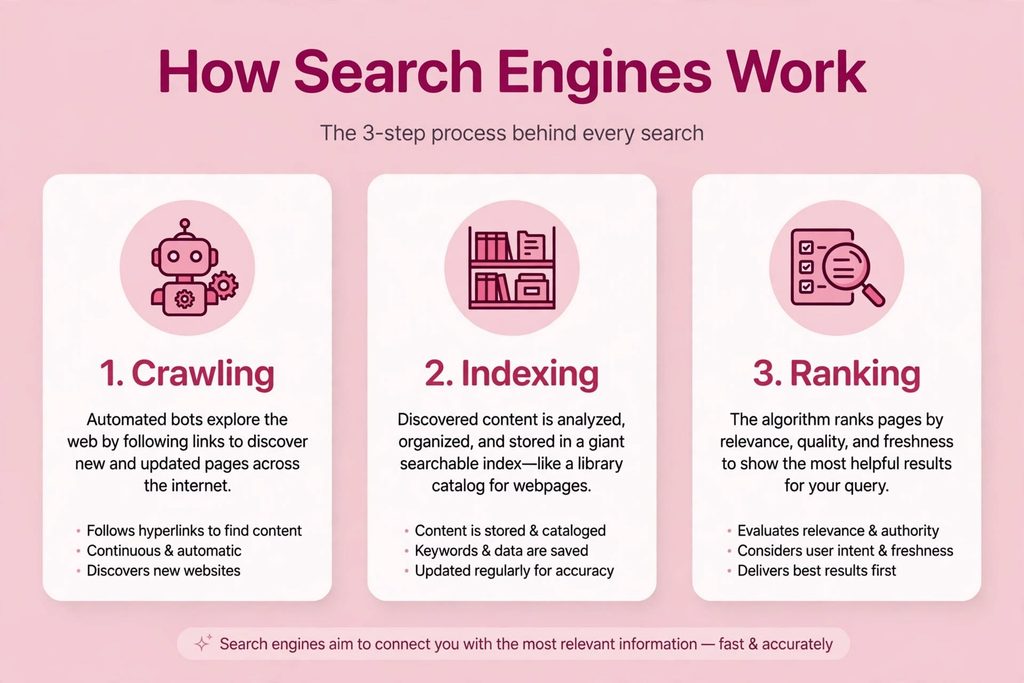
Sites are identified by search engines such as Google using software (known as a crawler).
This involves 3 key steps:
1. Crawling
Crawling is how search engines identify webpages.
Search engines have ‘spiders’ which explore sites. They can then recognise new pages and analyse fresh information.
For instance, if you add a new biology related blog post, Google’s spider could come across this either by clicking on relevant links or analyzing your sitemap.
2. Indexing
Once Google has found a page, it analyses it.
Google will analyse various elements including words, images and headings. Should this page be good enough then Google can add it to their search index.
Simply view Google’s search index as a giant online library.
3. Ranking
Google analyses and ranks information that it finds relating to an enquiry.
It takes into account various aspects such as the relevance, standard and ease of use of webpages.
For instance, if a student is looking up ‘class 9 chemistry notes’, then Google will attempt to display the most appropriate pages for that search.
Content can be both published and then separately analysed and positioned.
Why is SEO important?
There are several key reasons why someone may wish to utilise SEO.
- Increased free traffic: Individuals can gain free traffic to a website.
- Increased exposure: Relevant searches can show your content.
- Targeted market: You can target those who have an interest in your area.
- Sustained traffic: Well produced content can continue to attract traffic.
- Good user experience: Good SEO can also improve how easily individuals can access information.
For instance, an educational site can implement SEO in order to target students wishing to access physics formulae, biology revision and chemistry information.
How to Do SEO Step by Step
Following an explanation of SEO, here are some techniques to implement to optimize your site.
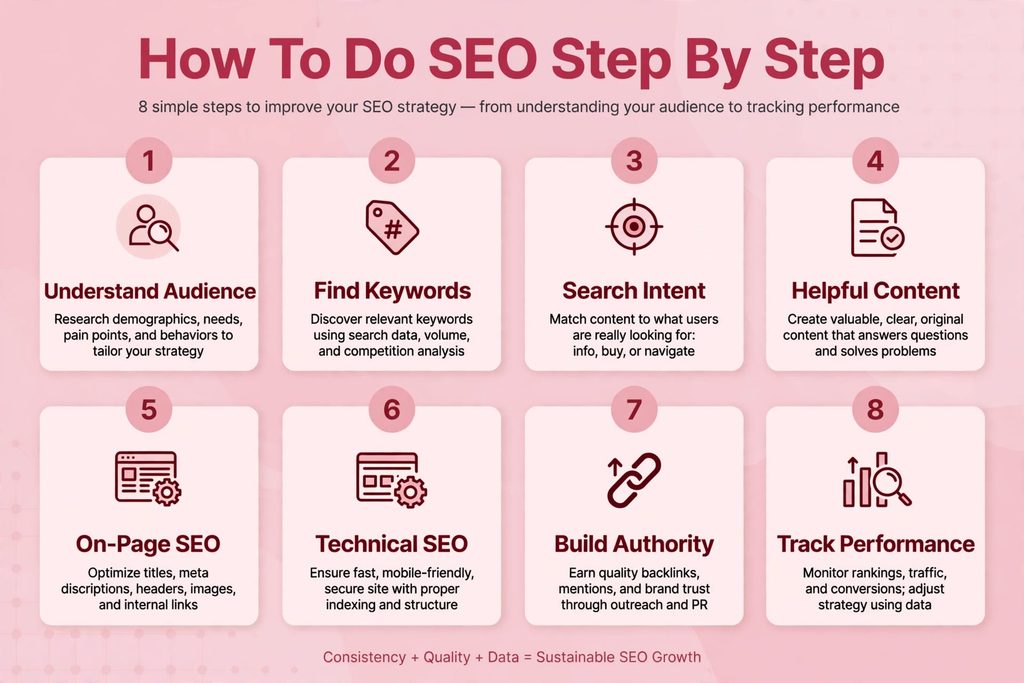
Step 1 – Know your audience
It is essential that, prior to determining which keywords to use, you are aware of who is likely to access your site.
Consider:
- Who is my audience?
- What issues are they facing?
- What searches are they undertaking?
- In what form does my audience require information?
If your site contains educational information then it may be aimed at school pupils, college students and/or novices wishing to develop digital knowledge and skills.
By recognizing your audience, you can tailor your information to suit them.
Step 2 – Choose relevant keywords
Carrying out keyword analysis will allow you to discover which terms/words people search for.
You can therefore tailor your content to people’s searching behaviour.
If you are going to write an article on Biology then some relevant keywords could be;
- Notes on Biology (for class 9)
- What is Biology?
- Areas of Biology
- Why is Biology important?
- Definition of Biology (for students)
However, do not simply choose keywords based on their popularity.
Look at:
- Search Volume: how many people are searching for this word.
- Keyword Difficulty: how difficult is it to rank for?
- Search Intent: what does the user want to find out?
Although generic words such as ‘biology.’ can be utilised, many times a more specialised search query (for example, ‘biology notes for class 9’) is a better choice, particularly for an emerging educational website.
Ensure you check statistics relating to your keywords.
Step 3 – Understand Search Intent
This refers to why people are searching.
Understanding a search intent will enable you to produce suitable content.
There are 4 main search intents:
- Information: the person wishes to obtain information. For example, what is SEO?
- Navigation: the person wants to access a certain site. For example, Google Search Console sign in.
- Commercial: the person is looking to research and analyze to then decide upon a choice. For example, best SEO tools for novices.
- Transaction: the person wishes to make a purchase or perform another action. For example, online SEO course.
Before producing articles, search for your key phrase on Google. Assess the type of content that is produced for that search term.
Your web page should address the primary issue and also add in valuable information which other web pages might not have included.
Step 4: Create Helpful and Organized Content
Content is a key element of SEO.
Ensure that you provide a succinct response to the user’s query. Don’t add information purely to boost the length of the page.
Produce:
- A good opening section
- One central theme
- Appropriate H2 and H3 subheadings
- Brief paragraphs.
- Real life examples.
- Responses to frequently asked questions.
- Plain and easy to understand information.
- Ensure that spelling and grammar is correct.
For example, when writing about ‘What is SEO for beginners’, define SEO early on within the information.
Don’t force users to wade through several sections before they can access this information.
Step 5: Apply On-Page SEO
Various methods can be used to optimise a web page.
They aid both search engines and people to understand your material.
Key On Page SEO
- Title: Develop a good title which incorporates your key word.
- Meta Description: Create a brief description of what people will discover.
- Headings: Break up your content under H1, H2 and H3 headings.
- URL: Ensure that your URL is concise and easy to comprehend.
- Images: Include suitable images and also provide image ‘alt’ text.
- Internal Links: Attach links to further relevant pages on your site.
- External Links: Link to trustworthy external websites where appropriate in relation to your content.
For example, should you create a post discussing SEO, you could include an internal link to a post detailing how to carry out keyword research.
People can then investigate further areas of interest from within your site.
Step 6: Understand Technical SEO
Technical SEO helps to optimise your site so that it can be crawled and understood by search engines.
When you don’t need to be an expert coder, there are some basic technical elements that can be reviewed.
- Mobile responsive: Your site should be suitable for viewing on a mobile phone.
- Fast loading times: This will help to provide a good user experience.
- Secure site: Employ a secure method of connecting to your site.
- XML Sitemap: Supply a list of key web pages to search engines.
- Dead links: Locate and amend links which connect to non-existent web pages.
- Indexing: Confirm that key web pages can be indexed by Google.
Students might even exit your site if they are unable to correctly view your revision resources on their phones.
A mobile responsive site is more easily and effectively utilised by students.
Step 7: Build Website Authority
There are various methods which can be used outside of your own website to enhance your website’s authority and online presence.
Backlinks are a key element of off-page SEO.
A backlink is a link from one website to another.
For instance, if an educational site refers to and then links to your revision guide, you will receive a backlink.
When backlinks can be very beneficial, not all are equally good.
Focus on:
- Acquire backlinks from suitable sites.
- Produce valuable content that can be cited by others.
- Develop authentic connections with website owners.
- Provide your audience with valuable material.
Rather than purchasing numerous low quality backlinks, concentrate on obtaining high quality, appropriate links.
Step 8: Track Your SEO Performance
SEO does not stop once articles have been written.
Analysis can be carried out to assess and improve your site.
Some good free tools are:
Google Search Console
This can tell you:
- The search terms for which your site is being found.
- Number of times pages are clicked on.
- Number of times pages are shown in search results (impressions).
- Which pages are indexed.
- If there are any issues preventing pages being indexed.
Google Analytics
This can tell you:
- Number of people who visit your site.
- Which pages are visited.
- Where your audience is coming from.
- People’s behavior on your site.
Analyse these on a regular basis. Identify pages which are being shown in search results (impressions) but which are not being clicked on often. You may wish to amend the page title and description.
Please also note that it can take time to see the effects of your SEO work.
Common SEO errors
Often people overlook how to effectively help those reading and concentrate only on a page’s ranking.
Avoid these errors:
1- Over use of keywords
This is when someone uses a particular keyword more often than is appropriate.
For example, if a person continually used the phrase ‘SEO for beginners’ within each paragraph then this would not be ideal as it is hard to read.
Incorporate your keyword into your writing in a natural manner.
2- Plagiarism
Plagiarising content will not add value to your site.
Create original material and share your knowledge and relevant examples.
3- Not catering for mobile users
People regularly access sites via mobiles.
Should your site not be suitable to be viewed on a mobile, users may exit your site before even engaging with your content.
4- Creating content without knowing search terms
If you do not know what people are searching for then it can be hard to target a suitable audience.
Carry out research and analyse search intention so that you can effectively create content.
5- Wanting instant success
Unfortunately, Search Engine Optimisation is not something that will have an affect overnight. It can take many weeks, if not months, for a new site to start to see real results.
Even if your article does not initially achieve a good search engine ranking continue to work on it. Assess how well it is performing and implement beneficial changes.
Essential free SEO tools
Whilst beginning to develop your knowledge of SEO, there are a number of free tools that will allow you to analyze and improve your site.
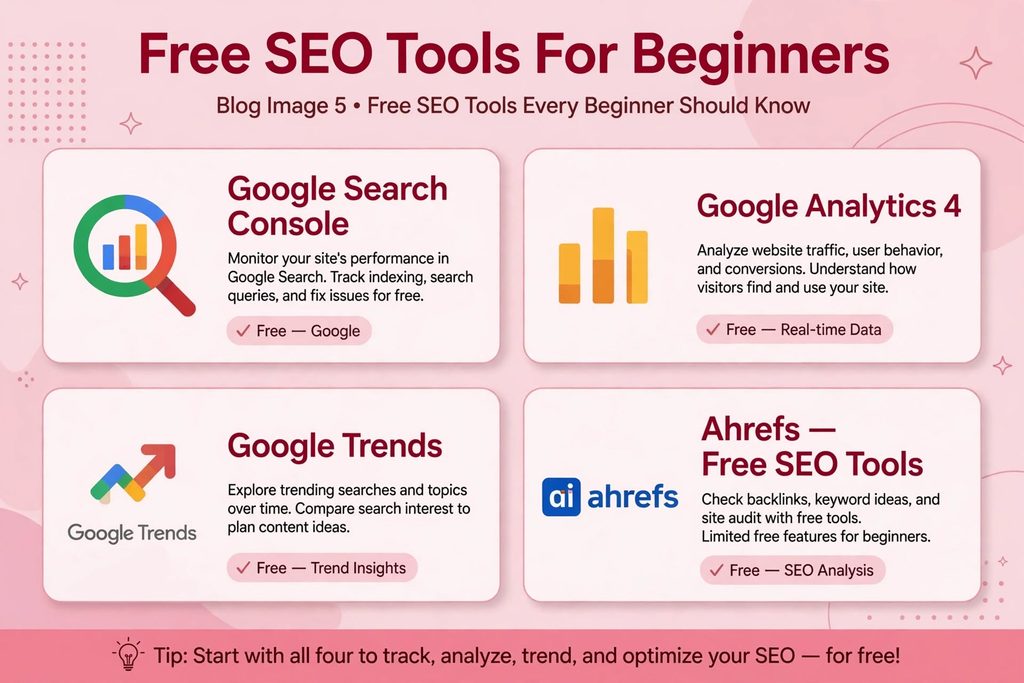
1- Google Search Console
Analyse your sites search activity, indexing and click and impression data.
Website: https://search.google.com/search-console/about
2- Google Analytics
To analyse data and behaviour on a site.
Website: https://analytics.google.com/
3- Google Trends
Investigate and compare search data for different areas of interest.
Website: https://trends.google.com/
4- Ahrefs Free SEO Tools
Access free tools which can analyze keywords and backlinks.
Website: https://ahrefs.com/free-seo-tools
Conclusion
Good knowledge of SEO can be very beneficial and is important if someone wishes to establish a digital footprint. It enables people to target suitable audiences.
As a new SEO user, avoid attempting to become an expert on all aspects of SEO. Firstly research your audience and identify suitable keywords. Then, ensure that your content is valuable.
Next, optimise your website pages; analyse your site and analyse your performance using available, free SEO tools.
Continually educating yourself and putting into practice what you have learnt will provide the best results. Apply this process to a single page and then progressively refine it further.
Such an informative piece!
Thank You Stay Connected✨
Very Good keep it up
Thank You
Such a easy a way for all to learn in a great way
Thank you! Glad you liked it, stay connected for the next step of SEO🙌